PTA Tax on Mobile Phones in Pakistan: Full Guide to Calculate, Pay & Register
You just brought home a shiny new (or used) smartphone from abroad, or maybe you bought one from the local market. Then you hear about PTA approval and suddenly worry whether your phone will stop working after a few months. This scenario plays out for thousands of Pakistanis every month.
The PTA tax on mobile phones confuses many people, but it doesn’t have to. Pakistan Telecommunication Authority (PTA) runs the Device Identification, Registration and Blocking System (DIRBS) to register devices and block non-compliant ones on local networks. Understanding how it works helps you make smart decisions, avoid unexpected blocks, and save money.
In this detailed guide, you’ll learn exactly what PTA tax includes, how to calculate it for your specific phone, step-by-step payment and registration, how to check approval status, and pro tips from real experiences. Everything comes with official links so you can act confidently.
Taxes and valuations change with FBR rulings, so always generate an official PSID for the most accurate amount.
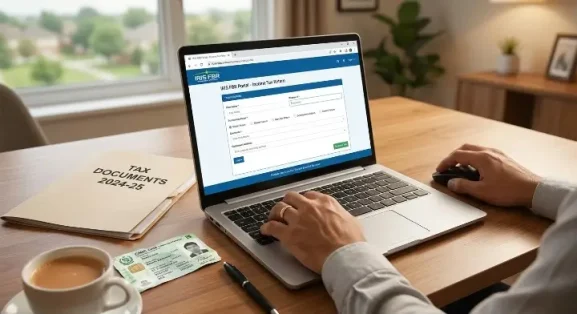
Read More: How to Check FBR Tax, NTN Status Online in Pakistan
What Exactly is PTA Tax on Mobile Phones?
“PTA tax” is not a single fee but a combination of customs duties, sales tax, and other levies that FBR collects when you register an imported or non-approved mobile device.
PTA’s DIRBS system identifies every device by its unique IMEI number. Locally manufactured or officially imported phones sold in authorized shops usually come pre-registered. However, phones brought from abroad, bought used from unofficial channels, or imported personally, need separate registration.
If you skip this step, your phone works for a limited grace period (often up to 120 days for visitors or temporary users). After that, the networks block it for voice, data, and SMS. Paying the required taxes and completing registration make it work permanently on Pakistani SIMs.
This system protects local industry, prevents smuggling, and ensures only compliant devices use the network.
Types of Taxes and Duties Included in PTA Tax
Several components add up to your final amount, such as customs duty, regulatory duty, sales tax, withholding tax / advance income tax, mobile levy, or fixed charges. All these taxes are added, and then your final tax on mobile is ascertained.
Customs Duty forms the base and depends on the FBR-assessed value of your phone model rather than the price you actually paid.
Regulatory Duty adds another layer to imported devices.
Sales Tax (usually 17%) applies to the total assessed value.
Withholding Tax / Advance Income Tax covers additional government collections.
Mobile Levy or Fixed Charges vary by price bracket — premium flagships attract higher amounts.
Other small processing fees may apply depending on your registration category (individual, courier, etc.).
FBR regularly updates customs valuation rulings. In early 2026, some reductions helped lower taxes on used iPhones and other brands, but later revisions increased values for certain commercial imports. This fluctuation makes calculating your exact tax important before buying.
Read More: How to File Tax Return Yourself in Pakistan [Step by Step]
How to Calculate PTA Tax on Your Mobile Phone
No universal flat rate exists because the tax depends on your phone’s model, condition (new/used), registration method (CNIC vs passport), and current FBR valuation.
Here’s how it works in practice:
FBR sets a customs value in USD for each popular model. They convert this to PKR, add duties, then apply sales tax. The system then generates your exact PSID during registration.
Practical Calculation Methods:
- Use the official DIRBS portal https://dirbs.pta.gov.pk/, which calculates everything automatically when you start registration.
- Try reliable online PTA tax calculators (search for updated 2026 versions) for estimates.
- Check recent FBR valuation rulings for your exact model.
Real Examples (Approximate as of May 2026 — always verify):
Mid-range Android phones (customs value $300–500): Total tax often falls between Rs. 30,000 and Rs. 65,000.
Popular iPhone 15/16 series: Can range from Rs. 55,000 (passport) to over Rs. 1,50,000+, depending on model, condition, and registration type.
Premium flagships: Sometimes exceed Rs. 2,00,000 for top configurations.
Important Note: Passport holders (overseas Pakistanis or visitors) often enjoy lower rates for temporary or certain registrations compared to CNIC-based ones. Dual-SIM phones require you to register both IMEIs.
Always treat calculator results as estimates. The official PSID during registration gives the binding final amount.
How to Check If Your Mobile is PTA Approved
Never buy a phone without checking its status first. Here’s how you do it quickly:
Method 1:
SMS Check (Fastest and Most Popular)
- Dial *#06# on your phone to display the 15-digit IMEI number (dual-SIM phones show two).
- Open your messaging app, type the IMEI, and send it to 8484.
- You’ll receive a reply within seconds telling you if the device is approved, non-approved, or temporarily active.
Method 2:
Online DIRBS Portal
- Visit the official site: https://dirbs.pta.gov.pk/
- Enter the IMEI number and submit.
- The system instantly shows the compliance status.
Method 3:
Use the Official DVS App
- Download the DIRBS Device Verification System (DVS) app from the Google Play Store.
- Enter or scan the IMEI for quick results.
Make this check a habit before purchasing any used or imported phone. It takes less than a minute and saves major regret later.
Step-by-Step Guide: How to Register Your Mobile with PTA and Pay Taxes
Follow these steps carefully for smooth registration:
1. Verify Your Device Status
Use one of the methods above to confirm it needs registration.
2. Visit the Official DIRBS Registration Portal
Go to https://dirbs.pta.gov.pk/drs/auth/register_individual. Create an account using your CNIC, passport, email, and mobile number.
3. Submit Device Details
Enter the IMEI number(s), phone model, and other required information. Choose the correct category (individual, courier import, etc.).
4. Generate PSID
The system calculates and shows your exact tax amount. Download or note the PSID.
5. Pay the Tax
Pay through internet banking, ATM, EasyPaisa, JazzCash, or any major bank branch. You usually have 7 days to complete payment.
6. Confirmation and Activation
After successful payment verification (usually within hours to 2 days), you receive an SMS confirmation. Your phone becomes fully active on local networks.
Special Cases:
Courier/Gift Imports:
Use the dedicated courier category in the portal.
Overseas Pakistanis & Visitors:
A temporary registration facility (up to 120 days per visit) is often available without full duties.
Facilitation Centers:
Visit authorized mobile operator franchises if you prefer help. They charge only a small service fee (around Rs. 100).
The entire process is designed to be online and user-friendly, though you must complete it from within Pakistan in most cases.
Read More: How to Register NTN in Pakistan [Complete Guide]
Common Mistakes People Make
Many users enter the wrong IMEI format, causing delays. Others rely on third-party agents who charge extra, unnecessary fees. Some delay payment after generating the PSID, which can expire and force you to restart. Buying without checking the PTA status first often leads to blocked devices later.
I’ve seen friends bring back expensive phones from Dubai only to face blocking because they assumed “it will work somehow.” A little preparation prevents this stress.
Pro Tips for 2026
- Compare the total cost (phone price + PTA tax) before deciding to import versus buying locally.
- Keep your CNIC and contact details updated with NADRA.
- Bookmark official sites and avoid shady third-party services.
- For dual-SIM phones, register both IMEIs separately.
- Stay updated with FBR valuation (link with FBR Tax Status) rulings through official channels.
Frequently Asked Questions
How long does registration take after payment?
Usually within a few hours to 2 days once payment confirms.
Is there any way to avoid PTA tax completely?
Locally assembled phones or officially imported ones sold in the market generally don’t require extra payment. Temporary registration options exist for visitors.
What happens if I don’t register my phone with PTA?
The phone gets blocked on Pakistani networks after the grace period.
Can I register a used phone?
Yes. FBR has specific valuations for used and refurbished devices.
Are there different taxes for new vs used phones?
Yes. Used phones often follow separate valuation rulings that can be lower or higher depending on the latest FBR updates.
Final Thoughts and Next Steps
Dealing with PTA tax on mobile phones feels complicated at first, but the DIRBS system actually makes the process quite straightforward once you know the steps. Always start by checking your IMEI status, calculate or generate the exact tax, and complete registration promptly.
Here are the must-bookmark official links:
- DIRBS Main Portal: https://dirbs.pta.gov.pk/
- Registration: https://dirbs.pta.gov.pk/drs/
- IMEI Check: Send to 8484 or use the portal
Take action today if you have an unregistered device. Check your current phone’s status right now, it only takes a minute. Planning to buy or import a new one? Factor in the PTA tax from the beginning for a realistic budget.
Share this guide with friends and family who travel or buy phones frequently. Questions about a specific model? Feel free to ask in the comments (without sharing personal details).
Stay connected without interruptions — register smart and drive safe with your devices!