How to Pay Traffic Challan Online in Pakistan: Complete Guide
You’re driving peacefully when your phone buzzes with an SMS about a traffic violation. Or maybe you discover an e-challan while checking your status. Panic sets in. Do you have to stand in long queues at the traffic police office?
The good news? You can pay your traffic challan online from your phone in minutes. No queues, no agents, and no extra fees if you act quickly.
This detailed guide walks you through everything: how to check your challan first, pay it province by province, available payment methods, and pro tips to avoid common problems. Follow the steps for your area and clear your fine stress-free.
Payment portals and apps evolve quickly, so always use official links.
Why You Should Pay Your Challan Quickly
Unpaid traffic fines attract late penalties, sometimes doubling the original amount. They can also block vehicle verification, license renewal, or even lead to vehicle impounding during checks. Paying online saves time and money while keeping your driving record clean.
Read: How to Apply for a Driving License in Pakistan
First Step: Check Your Challan Before Paying
Always verify that the fine exists and note the exact amount and PSID (if available).
Quick Check Methods:
- Punjab: Visit https://echallan.psca.gop.pk, enter vehicle number and CNIC.
- Sindh: Use the Sindh Police or TRACS app portals. https://tracs.sindhpolice.gov.pk/
- Islamabad: Check the Islamabad Traffic Police e-challan page. https://traffic.islamabadpolice.gov.pk/Echallan
- SMS: Many provinces send details directly.
How to Pay Traffic Challan in Punjab
Punjab has one of the most advanced systems through PSCA and ePay Punjab.
Steps:
- Go to https://echallan.psca.gop.pk/ and search your challan using vehicle number + CNIC.
- Note the 17- or 18-digit PSID.
- Visit https://epay.punjab.gov.pk/ or use the ePay Punjab app.
- Enter the PSID and complete payment.
Payment Options in Punjab:
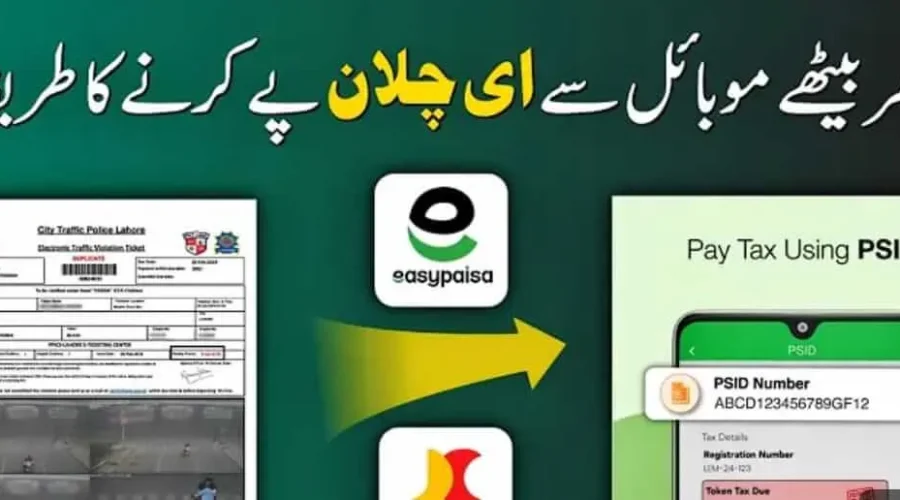
- EasyPaisa or JazzCash apps (Government Payments section)
- Bank mobile apps/internet banking (1Link)
- ATMs
- Bank branches (over the counter)
Pro Tip: Many city traffic police portals (Lahore, Multan, Faisalabad, etc.) link directly to ePay Punjab.
Read: How to Renew a Driving Licence in Pakistan
How to Pay Traffic Challan in Sindh
Sindh uses its own systems, often through ePay Sindh or police portals.
Steps:
- Check your challan on the Sindh Police or relevant city portal (Karachi, Hyderabad, etc.).
- Generate PSID if available, or note the challan number.
- Use the ePay Sindh portal/app or mobile wallets.
- Select Government/Traffic Challan and enter details.
EasyPaisa and JazzCash also support Sindh traffic challans directly in many cases. Pay via the app under Bill Payment → Government Fees.
How to Pay in Islamabad (ITP)
Islamabad Traffic Police offers smooth digital payments.
Steps:
- Visit the ITP e-challan portal or use the City Islamabad app.
- Note your challan details.
- Pay directly through JazzCash, EasyPaisa, or bank apps (select Islamabad Traffic Police).
You can often pay on the spot and get your license back immediately when using digital wallets.
How to Pay in KPK and Balochistan
KPK (Peshawar Traffic Police) and Balochistan have improved digital systems.
Common Process:
- Visit the respective traffic police websites or apps.
- Search the challan by vehicle number.
- Pay via the available PSID on ePay platforms, EasyPaisa, JazzCash, or bank transfers.
Some areas still require visiting offices for certain violations, but digital options are expanding rapidly.
National Highways & Motorway Police (NHMP)
For motorway or highway violations:
- Use the NHMP official portal or e-ticketing system.
- Check and pay through linked payment gateways, mobile wallets, or bank apps.
- Helpline 130 for assistance.
Read: Pakistan Motorway Speed Limits and Traffic Rules
All Common Payment Methods
- Mobile Wallets: EasyPaisa and JazzCash (most popular and convenient)
- Bank Apps & Internet Banking: Via 1Link network
- ATM Machines: Enter PSID for direct payment
- ePay Portals: Punjab and Sindh dedicated government payment sites
- Over the Counter: Bank branches or authorized agents
Step-by-Step in EasyPaisa/JazzCash:
- Open the app and log in.
- Go to Bill Payment → Government Payments or Traffic Challan.
- Select your province/police department.
- Enter PSID or challan number.
- Review the amount and pay.
- Save the receipt (very important).
Common Mistakes to Avoid
- Entering the wrong PSID or vehicle number.
- Paying after the due date (late fees apply).
- Using unofficial apps or agents (risk of scams).
- Forgetting to save the payment confirmation.
- Paying the wrong authority (e.g., the Punjab portal for Sindh challan).
Real Experience: Many drivers pay the fine but forget the receipt and later face verification issues. Always screenshot or download the confirmation.
Read: How to Transfer Car Ownership in Pakistan
Pro Tips for Hassle-Free Payment
- Pay within the grace period to avoid extra charges.
- Link your CNIC properly in apps for faster verification.
- Set reminders if you receive multiple challans.
- Use official apps only — check URLs carefully.
- Keep digital copies of all receipts for at least one year.
Road Safety Reminder
Paying fines is important, but developing safe driving habits prevents them. Obey speed limits, avoid mobile use while driving, and follow signals. These systems exist to make roads safer for everyone.
Frequently Asked Questions
Can I pay the traffic challan without PSID?
In most cases, PSID makes it easier, but some portals accept challan numbers directly.
What if I don’t pay the traffic challan?
Late fees apply, and it may affect vehicle documents or license renewal.
Is there any discount for early traffic challan payment?
Some provinces offer reduced penalties if paid quickly.
Can overseas Pakistanis pay traffic challans while being abroad?
Yes, through family members or authorized persons using online portals.
Will the payment reflect immediately?
Usually within minutes to 24-48 hours.
How do I get a refund if I paid the fine incorrectly?
Contact the relevant traffic police department with proof.
Final Thoughts and Next Steps
Paying your traffic challan online in Pakistan has never been easier. Whether you’re in Punjab with its advanced ePay system or using mobile wallets in other provinces, the process takes just a few minutes from your phone.
Start by checking your challan status today. Clear any pending fines promptly and drive responsibly to avoid future ones.
Safe driving and timely payments keep you stress-free on the roads. Share this guide with fellow drivers; it might save them time and money.
Have questions about a specific challan? Drop general details in the comments or contact your local traffic police helpline.
Drive safe!