How to Download a Duplicate Electricity Bill in Pakistan
Your electricity bill hasn’t arrived. Or it arrived, you paid it, and now you need a copy for the landlord, the bank, or a government form. Either way, you need a duplicate bill fast, and you don’t want to drive to a WAPDA office to get one.
The good news: downloading a duplicate electricity bill in Pakistan takes about two minutes for every major distribution company. You need just one thing to make it work: your reference number or customer ID. Both are printed on any previous bill you’ve received.
This guide covers every major electricity company in Pakistan, with direct links and exact steps for each one.
What You Need Before You Start
Every electricity company in Pakistan uses either a reference number or a customer ID to look up your account.
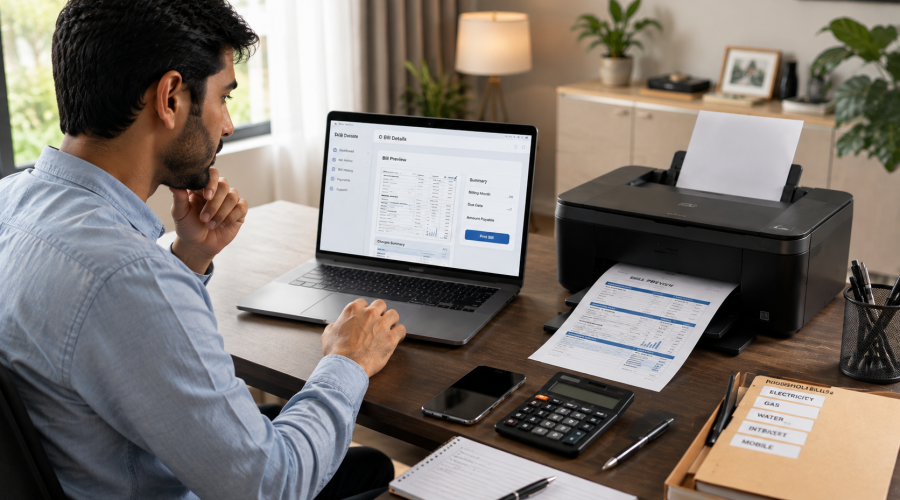
IESCO customers use a 14-digit reference number to search for their bill. For most providers, entering your 14-digit reference number and clicking “Check Bill” will display your duplicate bill on screen, which you can download as a PDF or print directly.
Your reference number appears on the top section of any physical bill you’ve previously received. It’s usually labelled clearly as “Reference No.” or “Consumer Reference No.” Keep it saved in your phone contacts or notes app so you’re never hunting for it again.
For K-Electric (Karachi) users, the process uses a 13-digit account number rather than a 14-digit reference number, so the steps differ slightly, covered separately below.
Read More: How to Pay Electricity Bill Online in Pakistan
How to Download a Duplicate Bill for WAPDA Companies (All Provinces Except Karachi)
Pakistan has ten electricity distribution companies (DISCOs) under WAPDA, plus regional companies for specific areas. The easiest way to get a duplicate bill for any WAPDA company is through a central checking service.
Platforms like CheckYourBill.pk bring together bill-check pages for LESCO, FESCO, IESCO, GEPCO, MEPCO, PESCO, HESCO, SEPCO, QESCO, TESCO, HAZECO, and K-Electric from one place. Other reliable aggregator sites include bill.com.pk, onlinebills.pk, and checkbills.pk. All bills fetched through these platforms are loaded through the official PITC (Punjab Information Technology Company) portal, which means the data is official and accurate.
The fastest option for most users is to go directly to the website for their specific company rather than hunting through a general portal.
Company-by-Company Guide
LESCO: Lahore, Kasur, Okara, Sheikhupura, Nankana Sahib
LESCO (Lahore Electric Supply Company) is responsible for distributing electricity to over 26 million customers.
To download your LESCO duplicate bill:
- Go to lesco.net.pk or bill.com.pk
- Select LESCO from the provider list
- Enter your 14-digit reference number
- Click “Submit” or “Check Bill”
- Your bill appears on screen. Click “Print” or download as PDF.
For customers using the reference number, insert the 15-digit reference number available at the top of your electricity bill. Some LESCO bills show 15 digits; use whatever is printed on yours.
IESCO: Islamabad, Rawalpindi, Attock to Jhelum
Islamabad Electric Supply Company (IESCO) is a division of WAPDA that was started in 1998 to handle the responsibilities and functions of the Islamabad area, supplying electricity from Attock to Jhelum.
IESCO customers can search their bill by reference number or Customer ID. The reference number consists of two digits for the batch, two for the sub-division, and the rest for your specific connection.
To download your IESCO duplicate bill:
- Go to iescobill.pk or the IESCO section on bill.com.pk
- Enter your 14-digit reference number or 10-digit Customer ID
- Click “Check Bill”
- Download or print the PDF that appears
IESCO customers can save their reference numbers on iescobill.pk and then check their latest bills with a single click every month, which is useful if you want to skip the lookup step in future months.
Read More: How to Pay Sui Gas Bill Online in Pakistan
MEPCO: Multan, Bahawalpur, Dera Ghazi Khan and South Punjab
MEPCO (Multan Electric Power Company) covers the major population of Multan, Bahawalpur, Dera Ghazi Khan, and surrounding South Punjab areas.
To download your MEPCO duplicate bill:
- Go to bill.com.pk or onlinebills.pk
- Select MEPCO from the list
- Enter your 14-digit reference number
- Click “Check Bill” to view and download
FESCO: Faisalabad, Jhang, Sargodha, Toba Tek Singh
To download your FESCO duplicate bill:
- Go to bill.com.pk or checkbills.pk
- Select FESCO
- Enter your 14-digit reference number
- View, download, or print your bill
GEPCO: Gujranwala, Sialkot, Gujrat, Hafizabad, Narowal
To download your GEPCO duplicate bill:
- Go to bill.com.pk and select GEPCO
- Enter your 14-digit reference number
- Download the PDF
PESCO: Khyber Pakhtunkhwa, Peshawar and surrounding KPK areas
To download your PESCO duplicate bill:
- Go to bill.com.pk or onlinebills.pk
- Select PESCO from the provider menu
- Enter your reference number and view your bill
HESCO: Hyderabad and Sindh (excluding Karachi)
To download your HESCO duplicate bill:
- Visit bill.com.pk or checkbills.pk
- Select HESCO
- Enter your 14-digit reference number
- Download or print
SEPCO, QESCO, TESCO, HAZECO
All of these smaller distribution companies follow the same process. You can check duplicate electricity bills online for all 11 major DISCOs, including SEPCO, QESCO, TESCO, and HAZECO, using your reference number or Customer ID. Platforms like checkbills.pk and bill.com.pk support all of them from a single interface.
K-Electric: Karachi and Surrounding Areas
K-Electric operates differently from WAPDA companies. K-Electric is a privately owned, vertically integrated power distribution company and the only privatised electricity entity operating in the country.
K-Electric uses a 13-digit account number rather than a 14-digit WAPDA reference number. Your K-Electric account number appears in the “Consumer Details” section near the top of any previous bill.
How to Download Your K-Electric Duplicate Bill Online
- Go to the official KE bill portal or keduplicatebill.com.pk
- Enter your 13-digit account number
- Click “Submit” or “Get Bill”
- Download the PDF that appears on screen
You can also get your K-Electric duplicate bill via WhatsApp. Send your account number to the K-Electric WhatsApp number and the bill is delivered directly to your chat. This is the fastest option for most Karachi users who are already on their phones.
For billing queries or complaints, K-Electric provides customer support through multiple channels including a helpline at 118 or 99000, an online complaint portal, WhatsApp chat support, and 30-plus physical Customer Care Centers across Karachi.
Quick Reference: Duplicate Bill Links by Company
| Company | Coverage Area | Official |
| LESCO | Lahore, Kasur, Okara, Sheikhupura | lesco.net.pk or bill.pitc.com.pk |
| IESCO | Islamabad, Rawalpindi, Attock to Jhelum | iescobill.pk or bill.pitc.com.pk |
| MEPCO | Multan, Bahawalpur, South Punjab | mepco-bills.pk or bill.pitc.com.pk |
| FESCO | Faisalabad, Jhang, Sargodha | bill.pitc.com.pk |
| GEPCO | Gujranwala, Sialkot, Gujrat | bill.pitc.com.pk |
| PESCO | Khyber Pakhtunkhwa, Peshawar | bill.pitc.com.pk |
| HESCO | Hyderabad, interior Sindh | bill.pitc.com.pk/hescobill |
| SEPCO | Sukkur and upper Sindh | bill.pitc.com.pk/sepcobill |
| QESCO | Quetta and Balochistan | bill.pitc.com.pk/qescobill |
| TESCO | Tribal areas | https://bill.pitc.com.pk/tescobill |
| HAZECO | Hazara region | bill.pitc.com.pk/hazecobill |
| K-Electric | Karachi and surrounding areas | keduplicatebill.com.pk |
Official website availability may change. If a direct company link is unavailable, bill.com.pk and onlinebills.pk cover all DISCOs.
How to Find Your Reference Number if You’ve Lost All Previous Bills
If you’ve never received a bill at all, or you’ve genuinely lost every previous copy and don’t have your reference number, you have two options.
Check with your landlord or building manager. In rental properties, the reference number is usually on record with whoever manages the property. Utility accounts in Pakistan are typically registered to the property owner, so even if you pay the bills, the registered account holder should have this information.
Visit your electricity distribution company office. Take your CNIC and your complete address. Staff can look up your account by address and provide your reference number. This requires one visit but solves the problem permanently. Once you have the number, save it somewhere permanent.
Paying Your Bill After Downloading
Once you have your duplicate bill, you can pay it through a number of channels without visiting a payment counter.
After downloading your bill, you can pay it using bank apps, JazzCash, Easypaisa, or visit any authorised payment centre.
JazzCash and Easypaisa both support bill payments for every major electricity company in Pakistan. The process takes under a minute: open the app, select “Pay Bills,” choose your electricity company, enter your reference number, and confirm the amount. Your payment receipt is generated immediately and stored in the app.
Most major bank apps (HBL, MCB, Meezan, UBL, etc.) also support utility bill payments directly from your account. This is the cleanest option if you want a bank-level record of your payment.
How to Never Miss Your Bill Again
One of the most useful features offered by some of these bill-check platforms is a monthly email alert. IESCO customers can get a bill email alert on their mobile phone by subscribing to a monthly bill email service on iescobill.pk, requiring only their reference number. Several other platforms offer similar subscription services for other companies.
Setting this up takes two minutes and means your bill arrives in your inbox every month regardless of whether the physical copy reaches you.
K-Electric also offers email subscription for monthly bills. Sign up once on the KE portal with your account number and email address, and your bill arrives automatically each billing cycle.
FAQ
Can I download an old electricity bill for a previous month?
Yes. Customers can view their current electricity bill, find all information about previous bills, and check the complete bill history by entering their reference number. Most platforms store several months of bill history and allow you to download older copies.
Is downloading a duplicate bill free?
There is no fee for downloading your bill from any platform. All major duplicate bill services in Pakistan are free to use.
Do I need to register an account to check my bill?
No. A free online bill check is a completely free service. You do not need to register an account or pay any subscription fee to view your data. Just enter your reference number and the bill appears immediately.
What is the difference between a reference number and a Customer ID?
Both are identifiers printed on your electricity bill. The reference number is typically 14 digits and is the most commonly used identifier. The Customer ID is a shorter number, usually 10 digits for IESCO accounts, that serves the same purpose. Either one works on most bill-check platforms.
My bill shows an unexpectedly high amount. What should I do?
Download the duplicate bill and check the unit consumption reading. Compare it with your meter to see if the reading is accurate. If there’s a discrepancy, contact your electricity company through their helpline or customer care portal. For K-Electric, call 118 or 99000. For WAPDA companies, contact the relevant DISCO’s customer service.
Can I use the downloaded duplicate bill as an official document for address verification?
An electricity bill is one of the most widely accepted address verification documents in Pakistan, used for bank account opening, mobile SIM registration, and government forms. A downloaded PDF duplicate bill is generally accepted for this purpose, though individual organisations may request a stamped or physically printed copy in some cases. Check with the specific institution beforehand.
Downloading a duplicate electricity bill in Pakistan is genuinely one of those tasks that sounds more complicated than it is. Enter your reference number, get your bill, download the PDF. The whole thing takes under two minutes once you know which website to use. Save your reference number somewhere permanent, subscribe to monthly email alerts from your provider’s portal, and you’ll rarely need to hunt for your bill again.